
Best Wifi Router For Multiple Devices
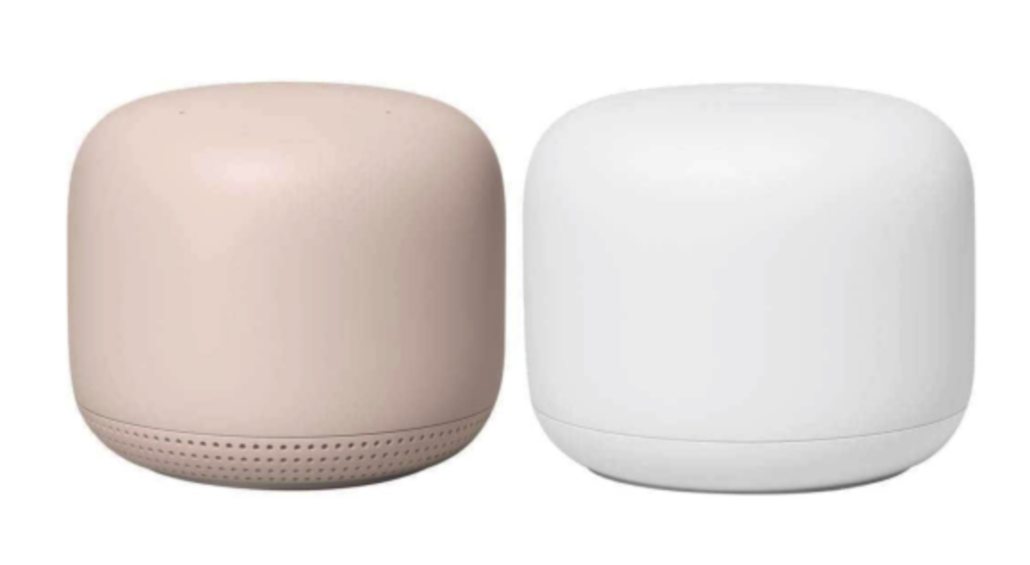
Best Wi-Fi Router for Multiple Devices: Ensuring Seamless Connectivity in Your Smart Home
In a world where our homes are becoming smarter and more connected, having a reliable and high-performance Wi-Fi router is essential. With multiple devices vying for internet connectivity, it’s crucial to invest in a router that can handle the demands of your smart home ecosystem. We’ll explore two top Wi-Fi routers known for their ability to connect multiple devices seamlessly: the Google Nest WiFi AC2200 and the Netgear Nighthawk RAXE500 AXE11000. Discover the features that make these routers stand out and ensure a strong and stable internet connection for your entire home.
Google Nest WiFi AC2200: Unleash the Power of Wi-Fi 5
The Google Nest WiFi AC2200 is a versatile router that excels in providing reliable Wi-Fi connectivity throughout your home. With a coverage range of up to 5,400 square feet, it ensures that every corner of your smart home receives a strong and consistent signal. Supporting internet plans of up to 1 Gbps, this router can handle the demands of multiple devices simultaneously. With dual-band operation, it operates on both 2.4GHz and 5GHz frequencies, allowing devices to connect efficiently. The Google Nest WiFi AC2200 boasts impressive speeds, with 400 Mbps on the 2.4GHz band and 1733 Mbps on the 5GHz band. With 3 Gig LAN ports, it offers wired connectivity options for your devices. Powered by a 1.4GHz Quad-Core 64-bit ARM processor and equipped with 1GB of RAM, this router ensures smooth and reliable performance. Additionally, the Google Nest WiFi AC2200 comes with an intuitive app that allows for easy setup and management of your network.
Netgear Nighthawk RAXE500 AXE11000: Embrace the Power of Wi-Fi 6E
The Netgear Nighthawk RAXE500 AXE11000 is a powerhouse router that takes advantage of the latest Wi-Fi 6E standard. With a coverage range of up to 3,500 square feet, it provides robust connectivity for your smart home devices. Supporting internet plans of up to 2 Gbps, this router is designed to handle high-speed connections. With tri-band operation, it operates on 2.4GHz, 5GHz, and 6GHz frequencies, allowing for even greater device capacity and reduced interference. The Netgear Nighthawk RAXE500 AXE11000 delivers impressive speeds, offering 1200 Mbps on the 2.4GHz band, 4800 Mbps on the 5GHz band, and an additional 4800 Mbps on the 6GHz band. With a comprehensive set of ports, including 1 x 2.5G LAN, 1 x Gig WAN, 4 x Gig LAN, and 2 x USB 3.0, this router offers versatile connectivity options. Powered by a 1.8GHz Quad-core processor and equipped with 1GB of RAM, it delivers exceptional performance. The Netgear Nighthawk RAXE500 AXE11000 also provides an intuitive app for easy setup and management of your network.
Choosing the Right Router for Your Needs:
When selecting a router for multiple devices, it’s essential to consider the capabilities of both the router and the connected devices. While Wi-Fi extenders and boosters can increase the wireless range of your current router, they cannot provide speeds greater than what the router is capable of delivering. For those with high-speed routers, opting for an extender with Wi-Fi 6, the latest standard, is recommended. Wi-Fi 6 ensures fast speeds and improved performance, allowing multiple devices to connect simultaneously without sacrificing performance.
In a smart home filled with various devices, having a reliable and high-performance Wi-Fi router is crucial. The Google Nest WiFi AC2200 and the Netgear Nighthawk RAXE500 AXE11000 are both exceptional choices for connecting multiple devices seamlessly. Whether you opt for the Wi-Fi 5 capabilities of the Google Nest WiFi AC2200 or embrace the power of Wi-Fi 6E with the Netgear Nighthawk RAXE500 AXE11000, these routers ensure a strong and stable internet connection throughout your home. Trust in the capabilities of these routers to provide reliable connectivity for your smart home devices, ensuring smooth operation and an uninterrupted online experience. Choose the best Wi-Fi router for your needs and take your smart home connectivity to the next level.



Leave a Reply
Want to join the discussion?Feel free to contribute!