
Smart Home Wiring
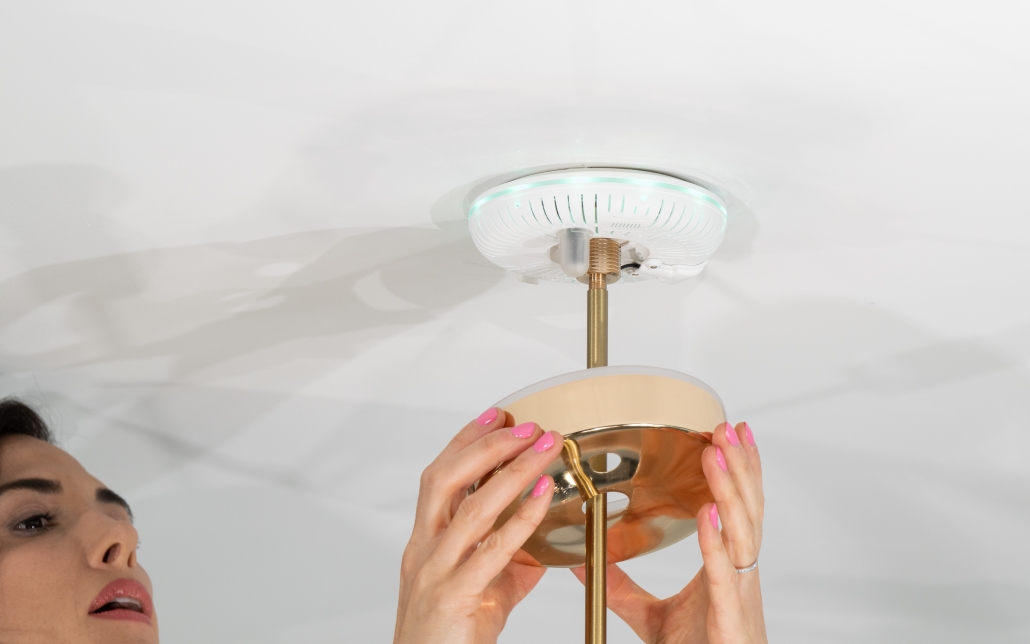
A smart home is an advanced technology that enables you to control your home appliances and devices with ease, from anywhere, using a smartphone, tablet or voice assistant. In this article, we will discuss in detail how to set up smart home wiring with a comparison of three popular smart lighting systems: Philips Hue, Sky Plug, and LIFX.
Step 1: Plan Your Smart Home Wiring
Before you start wiring your home, it’s important to create a plan that outlines the number of rooms you want to control and the type of lighting you have in each of those rooms. You should also think about the type of smart home system you want to install, as this can impact the wiring configuration.
Step 2: Install Your Smart Home System
Once you have a plan in place, you can begin installing your smart home system. In this section, we will focus on the three most popular smart lighting systems: Philips Hue, Sky Plug, and LIFX.
Philips Hue
Philips Hue is a popular smart lighting system that uses Zigbee technology to control your lights. To set up Philips Hue, you will need a Philips Hue Bridge, which acts as the central hub for your lights.
Here’s how to set up Philips Hue:
- Install the Philips Hue Bridge by plugging it into an available power outlet and connecting it to your router using the Ethernet cable provided.
- Download the Philips Hue app from the App Store or Google Play.
- Add your lights to the Philips Hue app by screwing the bulbs into your light fixtures and turning them on.
- Follow the on-screen instructions in the Philips Hue app to connect the bulbs to the Bridge and set them up.
- Once the setup is complete, you can control your lights using the Philips Hue app, voice assistant or a third-party app.
Sky Plug
Sky Plug is a smart lighting system that uses Wi-Fi to control your lights. To set up Sky Plug, you will need the Sky Plug app, which is available for iOS and Android.
Here’s how to set up Sky Plug:
- Download the Sky Plug app from the App Store or Google Play.
- Connect your Sky Plug to a power source by plugging it into an available power outlet.
- Follow the on-screen instructions in the Sky Plug app to connect the Sky Plug to your Wi-Fi network.
- Add your lights to the Sky Plug app by screwing the bulbs into your light fixtures and turning them on.
- Follow the on-screen instructions in the Sky Plug app to connect the bulbs to the Sky Plug and set them up.
- Once the setup is complete, you can control your lights using the Sky Plug app, voice assistant or a third-party app.
LIFX
LIFX is a smart lighting system that uses Wi-Fi to control your lights. To set up LIFX, you will need the LIFX app, which is available for iOS and Android.
Here’s how to set up LIFX:
- Download the LIFX app from the App Store or Google Play.
- Connect your LIFX to a power source by plugging it into an available power outlet.
- Follow the on-screen instructions in the LIFX app to connect the LIFX to your Wi-Fi network.
- Add your lights to the LIFX app by screwing the bulbs into your light fixtures and turning them on.
- Follow the on-screen instructions in the LIFX app to connect the bulbs to the LIFX and set them up.
- Once the setup is complete, you can control your lights using the LIFX app, voice assistant or a third-party app.
Step 3: Control Your Smart Home System
Once you have installed your smart home system, you can start controlling your lights using your smartphone, tablet, or voice assistant. Here’s how to control your lights using each of the three systems we discussed:
Philips Hue: Use the Philips Hue app, voice assistant or a third-party app to control your lights.
Sky Plug: Use the Sky Plug app, voice assistant, or a third-party app to control your lights.
LIFX: Use the LIFX app, voice assistant, or a third-party app to control your lights.
Setting up a smart home wiring system is a great way to control your lights remotely. By using a smart lighting system, you can easily adjust the lighting in your home with the touch of a button or the sound of your voice. Whether you choose Philips Hue, Sky Plug, or LIFX, setting up a smart home system is easy and convenient.


Leave a Reply
Want to join the discussion?Feel free to contribute!